Run an automated test
Prepare Mailbox + Template, create a draft test, then start and review results.
5 min read
Before you start
Automated tests require a connected sending mailbox and an email template. Once they exist, you can create a draft test from the automated setup page.
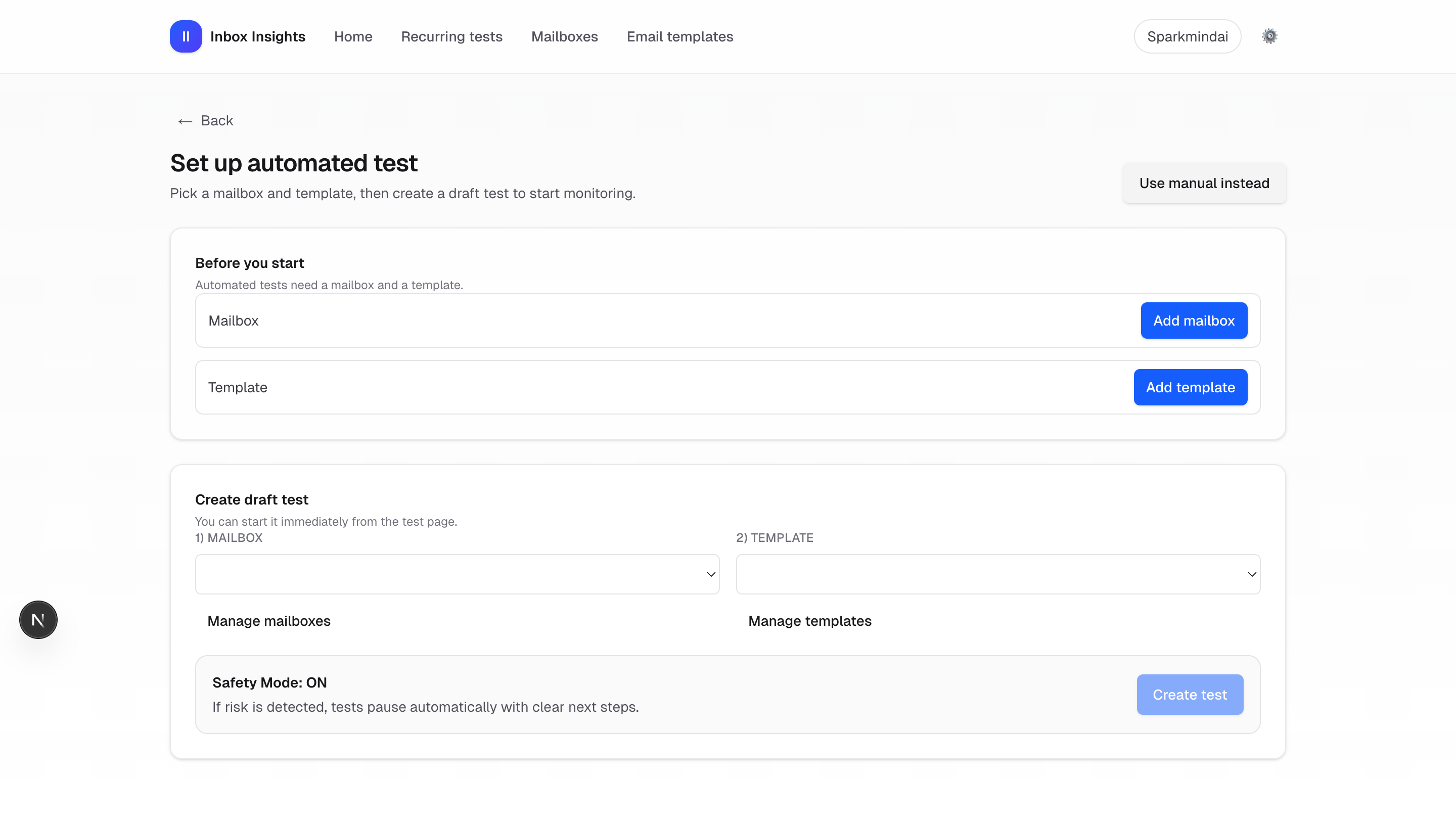
Step-by-step
- Go to InboxMender → New test → Automated.
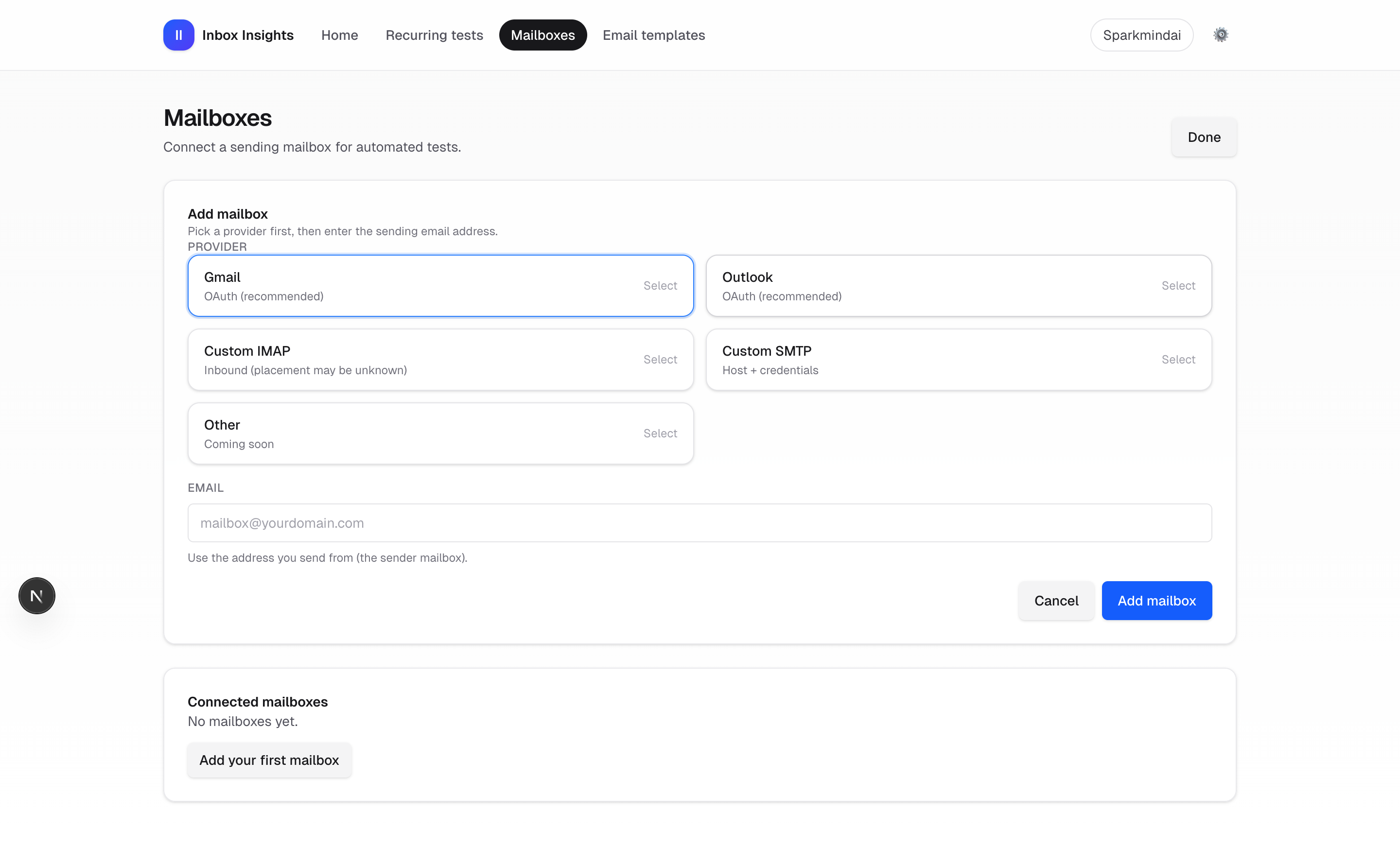
- If required, add a Mailbox (Mailboxes → ?add=1).
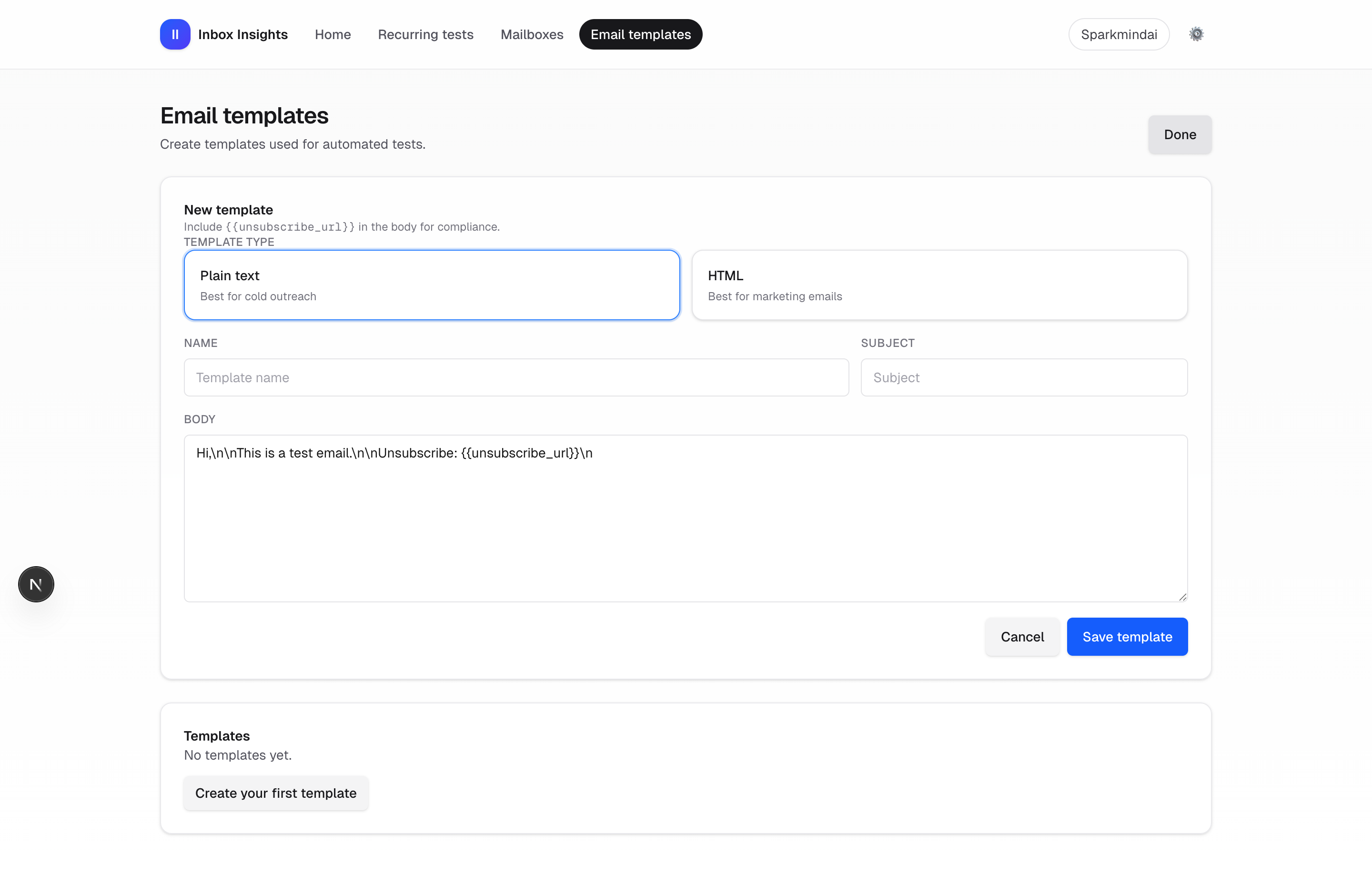
- Create an Email template (Email templates → ?add=1). Make sure the body contains {{unsubscribe_url}}.
- Return to the automated setup page, select mailbox + template, then Create test.
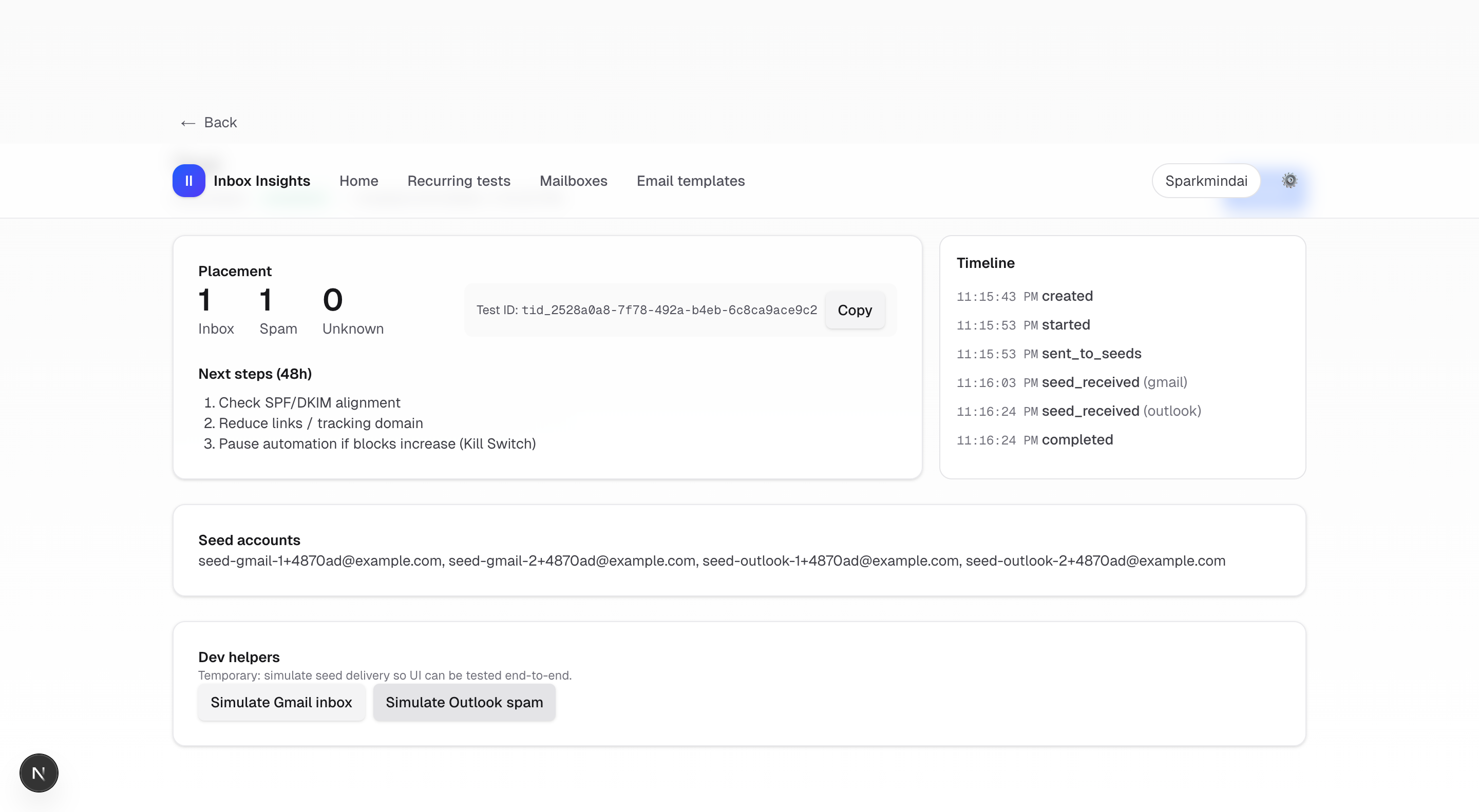
- On the test detail page, click Start test and optionally use Dev helpers to simulate results.
Why is Create test disabled?
It’s disabled when you have no Mailboxes or no Templates. Create at least one of each, then return to Automated setup.